Request a License Key
As part of activating fastProjectAI, you need to request a license key. When received, please save this license key, as it can be used again if you change computers.
Start fastProjectAI/MS Project
If fastProjectAI starts on the “Start screen”, double-click Blank project to start a new project
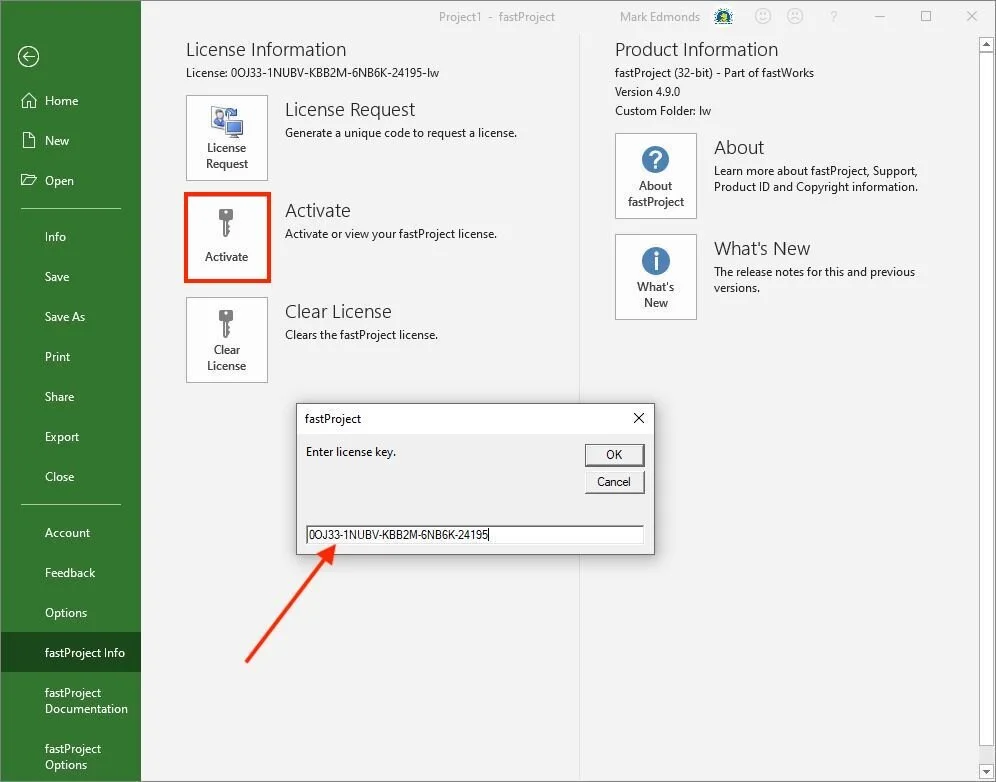
Click File > fastProjectAI Info (see screen below). If you do not see fastProjectAI Info, follow this link to debug any installation problems: https://lateralworks.com/docs/debugging-fastproject-installation-and-activation
Click License Request to generate a unique code
Use the Copy Button to copy and then send the code to contact@lateralworks.com
Activate fastProjectAI
On receipt of your license key, open fastProjectAI
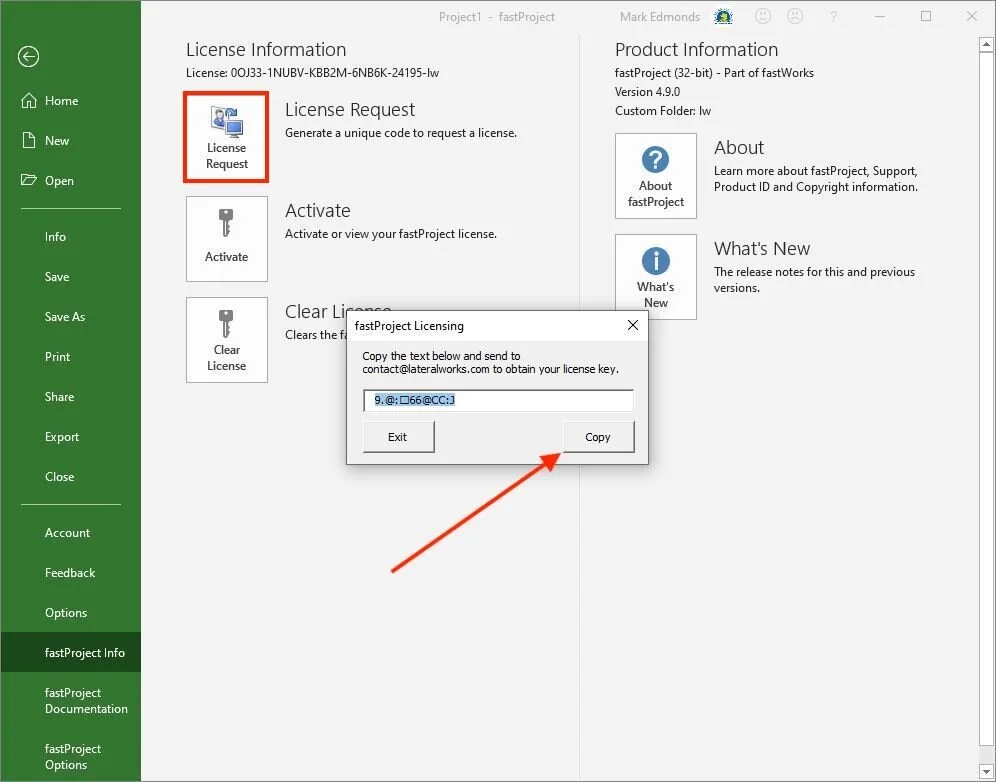
Click File > fastProjectAI Info (see screen below)
Click Activate
Enter (or paste) the license key